







Holiday versus traditional MCP in test two.
The zero-trust environment for business AI
Put AI to work across your business. Trust nothing by default.
Holiday connects your systems into one environment where every AI action is verified twice: against the AI’s permissions and the user’s. Every action is recorded, and inside Holiday, nothing runs on borrowed credentials.
- Governance
- Business Chat
- Digital Employees
Your business systems. Your choice of AI models.
The Holiday Environment
A trust architecture for business AI.
Holiday connects your systems inside one controlled environment, where AI can work with business context without carrying borrowed credentials from one tool to another.
Security boundaries are enforced in the application layer. Digital employees, specialists and users each operate within defined authority. An AI model can request an action, but it cannot grant itself access or move beyond those boundaries.
Every tool call verified: each action is checked against both the AI’s and the requesting user’s permissions, every time.
Every action is recorded for review. Your environment remains single-tenant, you choose where it is hosted, and you decide which AI providers and models can operate inside it.
Business Chat
Ask about a customer. Get the whole picture.
A useful answer may span an email, a CRM record, a document and a financial entry. Business Chat brings that context together when you ask, using only information you are permitted to see.
Your team can move from searching for records to acting on an answer. Holiday keeps the connections between people, work and systems visible, so the answer has the context behind it.
Email · CRM · Documents · Finance · Operations
Business ChatAsk Holiday
Your permissions
OM
Active
Digital EmployeeJob Description
RoleOperations Digital Employee
»
Reactive
✓
Automated
✦
Intelligent
-
Customer Response Review
Connect new messages with customer records and open work. Flag requests waiting for a response and escalate decisions that need a person.
-
Invoice Exception Review
Compare invoice details with finance and customer records. Surface missing information or unusual amounts for review.
-
Process Insight
Review how work moves between teams and systems. Identify repeated steps, handoff gaps and changes in the way work is being done.
Digital Employees
Give AI a role that lasts.
Define the job, responsibilities, authority and reporting path for a digital employee. It keeps that role and its history as work changes, so you can give it ongoing responsibilities across the business.
Digital employees and their specialists work with the business knowledge available to their role: records, documents, conversations and operational history. Their access follows the permissions you set.
You can review what they were asked to do, what they used and when a person needs to approve or take over. The work has an accountable place in your organization.
Defined responsibility · Controlled access · Human review
Measured Performance
More context.
Fewer tokens.
A like-for-like comparison of two ways to answer a business question.
We asked the same AI model the same customer question using the same underlying data. Across two internal tests, Holiday used 86.1% to 90.9% fewer tokens than a traditional MCP workflow. Both found every required data point; Holiday also returned relevant linked records, for a 115% answer-completeness score.
Download the full study (PDF) Read the case studyInternal customer-context tests. The full study explains the method, data points and limits; results vary by task and integration.
Same model, same data and same question in test two.
All 67 required data points plus 10 linked records.
Measured on the first customer-context task.
One Place for AI Governance
Choose the rules. Verify every action.
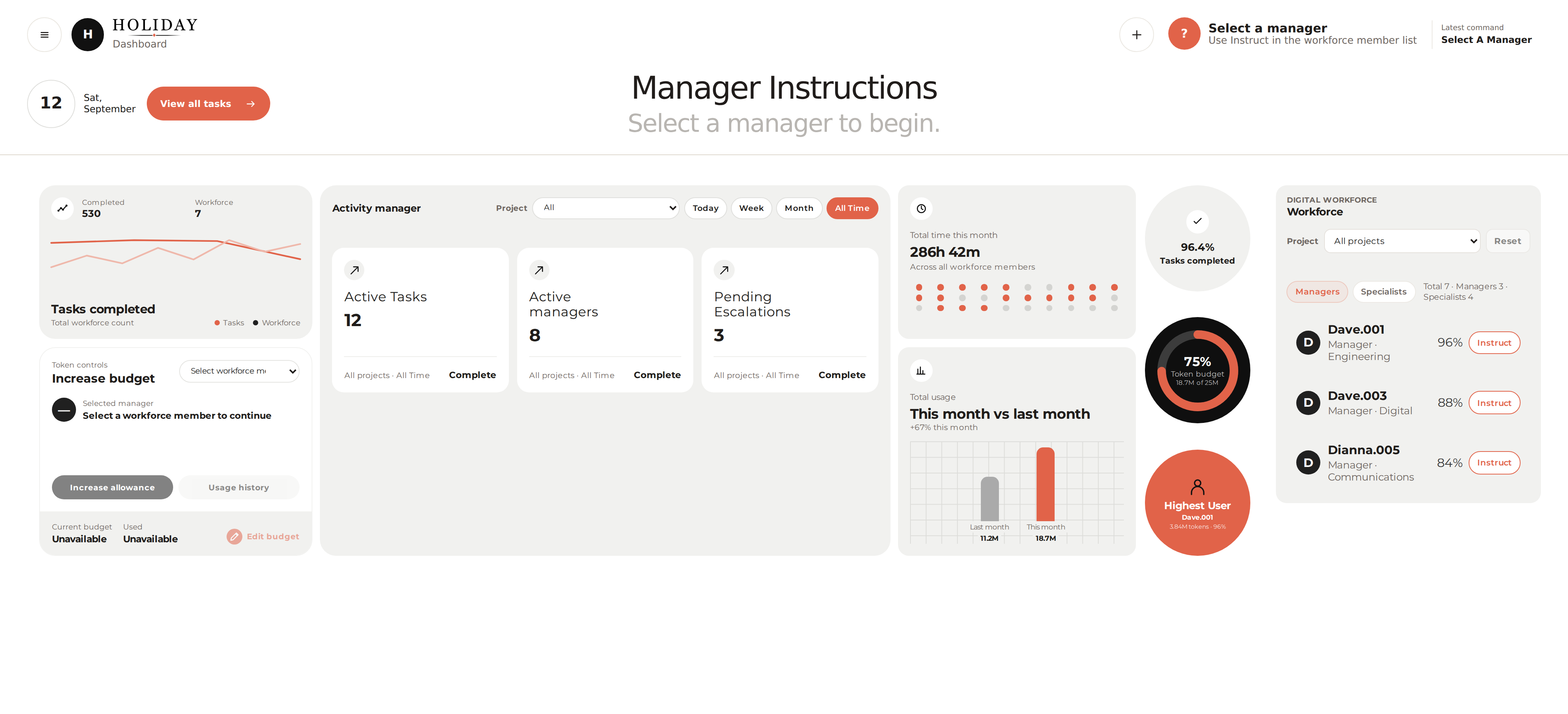
Set access, model choices and budgets for your business. See which people and digital employees are working, what they use and where a decision needs your attention. Every tool call must pass both the AI identity’s authority and the requesting user’s permissions.
Shadow Agent Detection
Know what is operating beyond your controls.
Company CRM accessed through an employee credential from an unapproved AI service.
Identity and access activity · 08:42Shadow AI
Find AI use that needs a policy decision.
Available identity and system activity can reveal AI services used through employee access. Review what was connected and decide whether it belongs in your approved environment.
Repeated activity across email and finance systems does not match an approved AI identity.
Cross-system activity · 11:16Unregistered Automation
Bring unknown AI activity into view.
Compare cross-system activity with approved AI identities. When something does not match, investigate and decide who owns it and what access it should have.
Teams adopt AI in different ways across different systems. Holiday uses available identity, access and system activity to surface likely unapproved use and automation for review. Your team can investigate, approve a controlled path forward or remove access.
Your Choices
Built around how you operate.
Choose where your Holiday Environment runs, which AI models you use and how much AI can spend.
Your AWS region
Your business has its own single-tenant environment in a supported AWS region you select.
Your AI providers
Choose the providers and models assigned to your digital employees and specialists. AI processing locations depend on those choices.
Your budgets
Set budgets by business or digital employee. AI usage is passed through at the provider's cost, with no Holiday markup.
Audit & Reporting
Follow the work
from request to outcome.
See the request, the digital employee involved, the systems and data used, and the review or escalation that followed. Each action has a record your team can inspect.
Activity Log
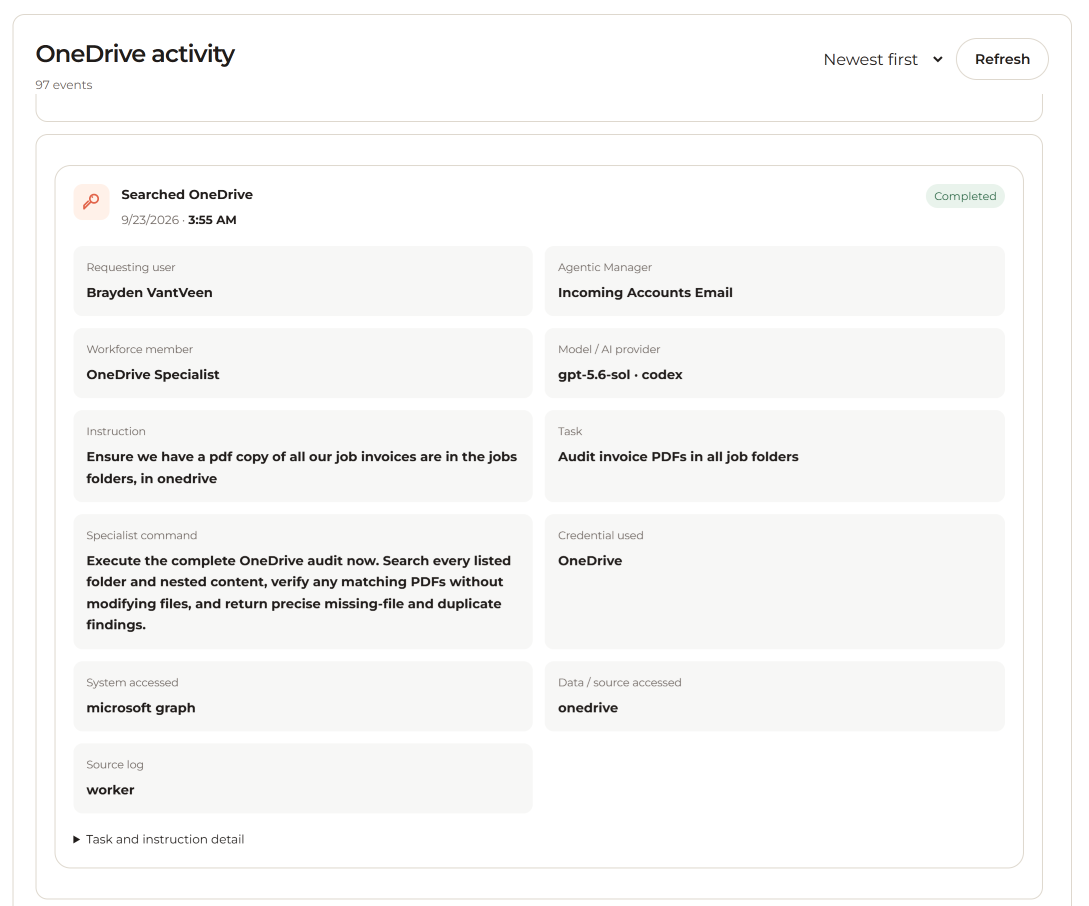
Review who initiated work, which model and credentials were used, and what information the AI accessed.
Reporting
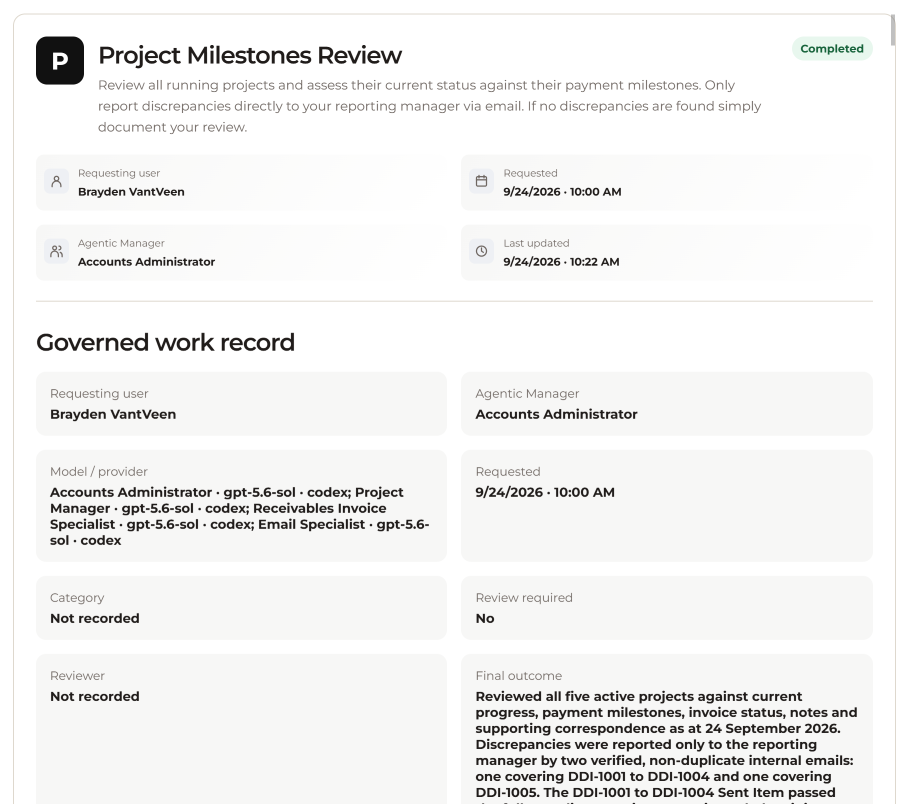
Follow an instruction through its output, review requirements, approval or escalation, and final result.
From Our Customers
Connected work, in their words.
“My biggest concern with AI in business has always been security: knowing what it can access and what it’s actually doing. Holiday answers both. We set the permissions, and every AI action is recorded in an audit trail we can review. It’s the first AI platform I’ve seen that’s built around control rather than bolting it on afterwards.”
“Having one environment saves me time every day! Landscape design has two sides: the creative work, and everything involved in running projects and managing clients. Holiday connects them. Our designs, project records and day-to-day operations are now in one place, and I can just ask a question instead of digging through different systems.”
“I ask Holiday about a customer and it pulls together our CRM, past conversations and company records into one answer. Researching customers and responding to enquiries is much faster now, with no more jumping between systems. It used to take me 15 mins just to check our crm was actually up to date with the latest communications from the operations guys.”
See Holiday in Your Business
Your systems. Your rules. AI at work.
Talk with us about the people, systems and work you want to connect.
Book a demonstration